

In today’s world, where working from home has become the norm, the quality of your home office directly affects your productivity and overall well-being. Many people focus on desk ergonomics and choosing the right chair, yet often overlook a crucial element — the surrounding environment, especially lighting and sunlight control. A thoughtfully designed space helps reduce eye strain and boosts concentration, which is essential whether you are working on an important project or competing in CS2 Esports. This article explores key strategies and practical tips for using proper lighting and curtains to create a balanced, comfortable, and highly functional home workspace.
Your Workspace — A Personal Productivity Hub
Modern life demands flexibility, and the home office has become an integral part of many professionals’ routines. But it’s far more than just a desk and a chair — it’s a space where you spend a significant amount of time, and it must be optimized for focus and reduced fatigue. Many people invest heavily in powerful computers or ergonomic chairs but forget about the environment around them, which is equally important for maintaining long-term concentration.
Even if you’re not a professional player preparing for a CS2 Esports tournament — where every millisecond and visual detail matters — your home office still carries high demands. Long hours in front of a screen require not only quality equipment but also carefully planned lighting to prevent eye strain. Once your eyes get tired, both your productivity and overall comfort decline. Poor lighting can create glare on the monitor, which will negatively impact your gaming experience or workflow.
Thus, the first step toward a balanced home office is understanding that comfort and functionality work hand in hand. Your workspace should encourage creativity and allow you to immerse yourself in tasks easily. This is reflected in your choice of colors, spatial organization, and — most importantly — smart light control. The following sections will explain how lighting and curtains can transform an ordinary room into an ideal productivity hub.
Golden Rules of Desktop Lighting
Lighting in a home office should be layered and adjustable. Relying on just one light source — such as a ceiling lamp — is a common mistake. It often results in harsh shadows or overly bright light that causes discomfort. The ideal lighting setup includes three key levels: ambient (general), task, and accent lighting. Ambient lighting should be soft and evenly distributed, filling the room without serving as the main source for desk work.
Task lighting is the most important component. It should be directed at your work surface, not at your computer screen. Desk lamps with flexible or adjustable arms work best, as they allow you to easily change the angle and intensity. Choose lamps that emit neutral white or daylight-colored light with a color temperature between 4000K and 5000K. This type of light is the most natural for the eyes, helps maintain alertness, and is ideal for reading or document work. Avoid lighting that is too warm (yellow) or too cool (blue).
Placement matters as well. For right-handed individuals, the lamp is best positioned on the left to avoid casting a shadow while writing. If you work mainly at a computer, make sure the light is directed at the desk rather than the screen. You might also consider adding LED strips behind your monitor (bias lighting). This simple trick reduces the contrast between the bright screen and a dark background, significantly lowering eye strain during long sessions.
How Window Light Affects Your Work
Natural light is your productivity’s best ally, as it positively influences your circadian rhythm, mood, and energy levels. If possible, place your desk so the window is beside you. This is the optimal position for even lighting and reduced glare. Direct sunlight shining into your face — or worse, directly onto the screen — is the enemy of visual comfort, creating glare and forcing your eyes to constantly readjust.
Facing the window can create strong contrast, leaving your face in shadow during video calls. Facing away from it often causes bright reflections on the monitor. These “light patches” make it difficult to see the screen clearly and can force you to squint or shift positions frequently.
Even if your desk is positioned perfectly, the sun moves throughout the day, and you need tools to control this changing light. This is where curtains, blinds, or shades come in. They allow you to adjust the intensity and direction of natural light. The goal is not just to block sunlight but to diffuse it — turning harsh rays into soft, even illumination that fills the room. Effective light control is about improving light quality, not merely reducing brightness.
Choosing the Ideal Curtains and Blinds for Your Office
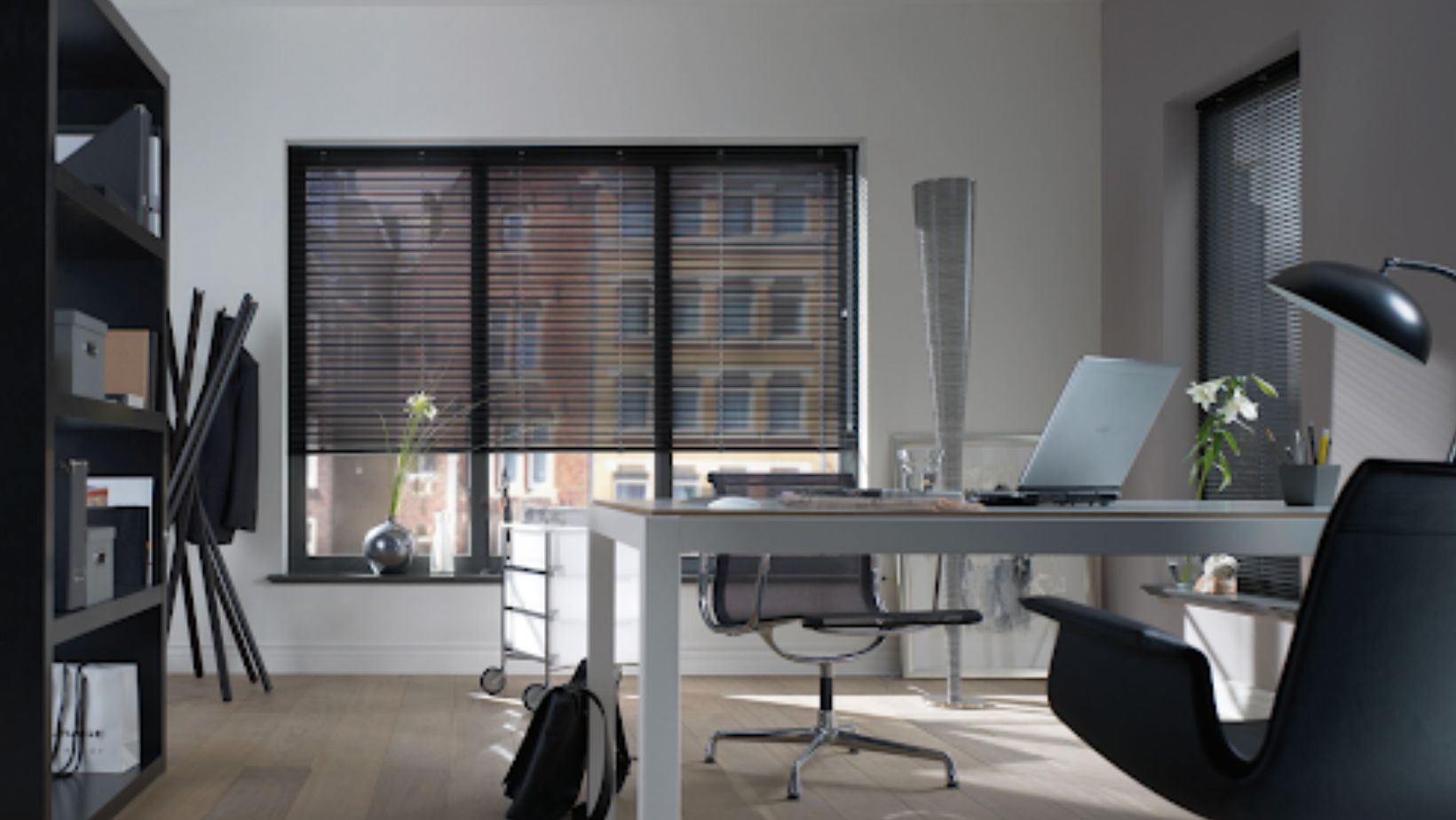
Choosing the right window coverings is essential for creating a balanced office environment. The best options offer maximum control over light rather than simply blocking it. Heavy drapes can make the room too dark, forcing you to rely on artificial lighting, which goes against the goal of using natural light effectively.
Roman shades or roller blinds made from medium-density fabric (or “day-night” systems) are excellent choices. They allow you to adjust height, letting in light from the top, or create soft diffused light when fully lowered. The fabric should be dense enough to scatter direct sunlight but not block it entirely, allowing you to stay connected with the outside environment.
Horizontal or vertical blinds are also highly practical. They allow precise control of light direction by adjusting the angle of the slats. You can direct the light onto the ceiling, letting it reflect back softly to create ambient lighting without glare on your screen. For those who often work late or need complete darkness, blackout curtains can serve as a helpful addition, though they shouldn’t be your main daytime solution.
Conclusion
Creating a balanced home workspace is an investment in your health, productivity, and overall well-being. Never underestimate the impact of lighting and window coverings on your ability to stay focused and work without fatigue. The key is harmonizing natural and artificial light and maintaining full control over both, depending on the time of day and your specific tasks.
Remember the three core principles: layered lighting (ambient, task, accent), proper color temperature (neutral white for focus), and glare control (achieved with curtains or blinds). Your workspace should be dynamic — able to adapt easily to changing conditions, whether it’s a bright midday sun or late evening hours.
Ultimately, a well-designed home office provides comfort and becomes a place where you genuinely enjoy spending time. It minimizes distractions and maximizes concentration. By choosing the right lighting and curtains, you transform your work corner into a productivity oasis that supports success in whatever you do.